
Guide
How to match documents: references, line items and exceptions
Published
AT A GLANCE
Learn to match orders, receipts and invoices using source evidence, normalized fields and explicit rules, including partial deliveries and accepted quantities.
THE PROCESS AT A GLANCE
From document to decision
A simple review pattern to adapt to each workflow.
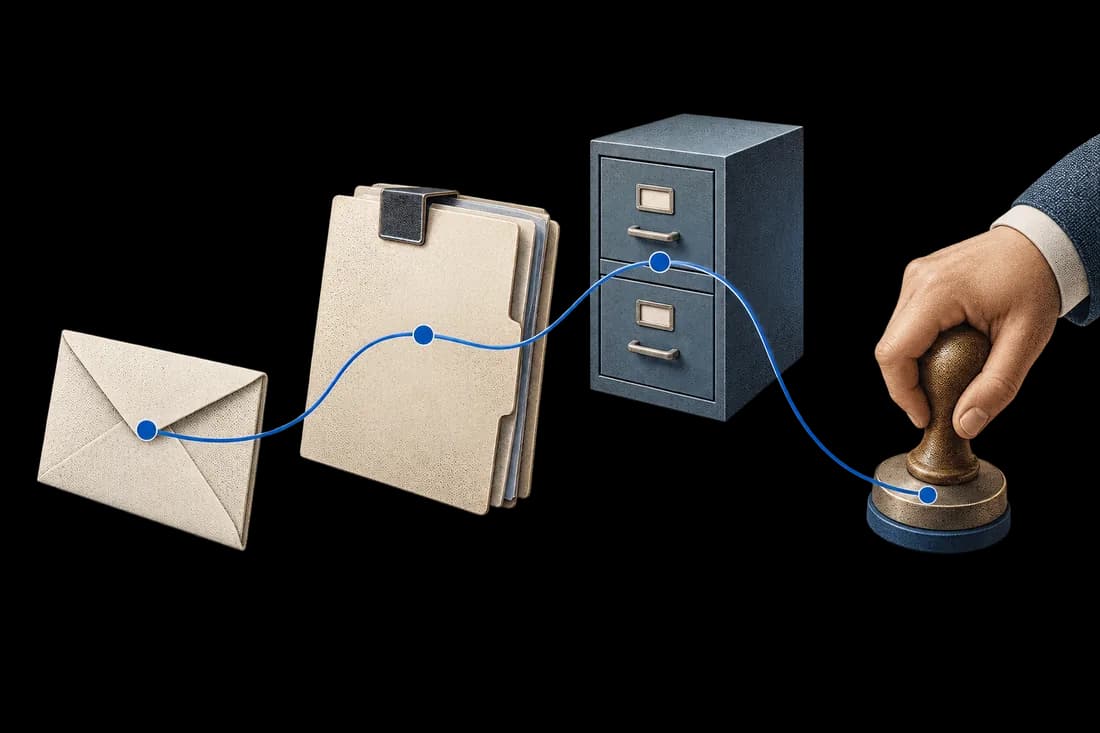
- SourceIdentify the document and source of truth.
- ExceptionShow what is missing or does not match.
- DecisionRoute the exception to the responsible person.
Matching documents means establishing which records belong to the same transaction and checking whether their facts agree. Start with identifiers and line items, then compare quantities, units, prices and dates under explicit rules. A similar description alone does not prove that two documents refer to the same purchase.
Decide what each source can establish
A purchase order records what was ordered. A delivery note describes a shipment. A receipt records what arrived; an inspection or acceptance record can distinguish accepted from rejected goods. An invoice states what the supplier billed. Keep these meanings separate rather than treating every quantity as interchangeable.
Oracle distinguishes two-way matching of order and invoice, three-way matching that adds receipt, and four-way matching that also checks accepted inspection quantities. Your workflow should use the evidence and approval rules required for the purchase; do not silently substitute delivered quantity for accepted quantity.
Normalize fields without erasing evidence
Keep the raw reference beside its normalized value. Normalize harmless formatting only under a defined rule. Use stable supplier identifiers and approved item mappings; preserve meaningful leading zeros and version information. Currency and decimal conventions need explicit handling.
Convert units only with a confirmed item-specific rule. If a carton contains six units, two cartons can be compared with twelve units. Without that pack-size evidence, mark the line unresolved. A language model may propose a match between descriptions, but the proposal should not become an approved catalogue mapping automatically.
Match the transaction, then its lines
Locate candidate records using supplier and purchase order reference. Check the order version, then pair invoice lines with the appropriate order and receipt lines. When several lines use similar wording, require stronger evidence. Represent 'no candidate' and 'several candidates' as review states rather than forcing a match.
Fictional example: PO-104 orders 60 units at MAD 100 each. A first delivery contains 40; inspection rejects 4, leaving 36 accepted. The supplier invoices 60 units at the agreed price. Price matches, but billed quantity exceeds current accepted quantity by 24. Under a policy requiring accepted-receipt evidence, hold the case for review; the model cannot decide whether a later delivery or an approved exception resolves it.
Handle partial deliveries and credits
Track receipts allocated to each order line and quantities already invoiced. Several receipts can support one invoice, and one order can have several invoices. Prevent the same receipt quantity from being reused across invoices. Include returns, credit notes and order revisions in the history.
Define tolerances with the process owner, including rounding, currency and permitted differences. Missing documents are different from zero quantities. An apparently matching total can hide an incorrect line, so check the level of detail your approval policy requires.
Make the review useful
Show the paired source lines, raw and normalized values, applied rule and discrepancy. Assign an owner and retain the decision with its evidence. Test swapped references, duplicate invoices, unknown units, partial receipts and revised orders. Matching prepares a decision; payment authorization remains in the approved business process.
Sources and further reading
Oracle: two-, three- and four-way match approval levels
Apply this to your workflow
To scope a document workflow, prepare a permitted example, the required fields, your current system and the person who reviews exceptions. Begin with synthetic examples when confidential data is unnecessary.
Related reading
How should partial delivery change PO, receipt and invoice matching?
Track each receipt and the open order balance while keeping invoice exceptions visible for human approval.
Read articleWhat happens when a supplier invoices more than the quantity accepted?
A receiving example that separates ordered, delivered, accepted and invoiced quantities before payment approval.
Read article